Table of Contents
ToggleIf you’re a Call of Duty player scrolling through Twitch, you’ve probably noticed streamers casually mentioning “drops are live.” But what exactly are these drops, and how do you actually get them? Call of Duty Twitch drops are one of the easiest ways to snag free in-game cosmetics and rewards without spending a dime, you just need to watch the right streams. In 2026, Activision has expanded the drops program significantly, making it more rewarding than ever to tune into your favorite creators. This guide walks you through everything you need to know to start earning free content today.
Key Takeaways
- Call of Duty Twitch drops are free in-game cosmetics like weapon blueprints and operator skins that you earn by passively watching eligible streams without spending money.
- You must link your Twitch account to your Activision/Battle.net account and enable two-factor authentication before you can receive drops.
- Search for streams with the purple ‘Drops Enabled’ label on Twitch, watch for the required duration (typically 30 minutes to 2 hours per tier), and your rewards will automatically appear in your game.
- Drops campaigns rotate regularly on a seasonal schedule—monitor official Call of Duty announcements and gaming news outlets to catch active campaigns before they end.
- Maximize your drops strategy by rotating through multiple eligible streamers, spreading watch time across simultaneous campaigns, and watching during downtime to earn cosmetics passively.
What Are Call of Duty Twitch Drops?
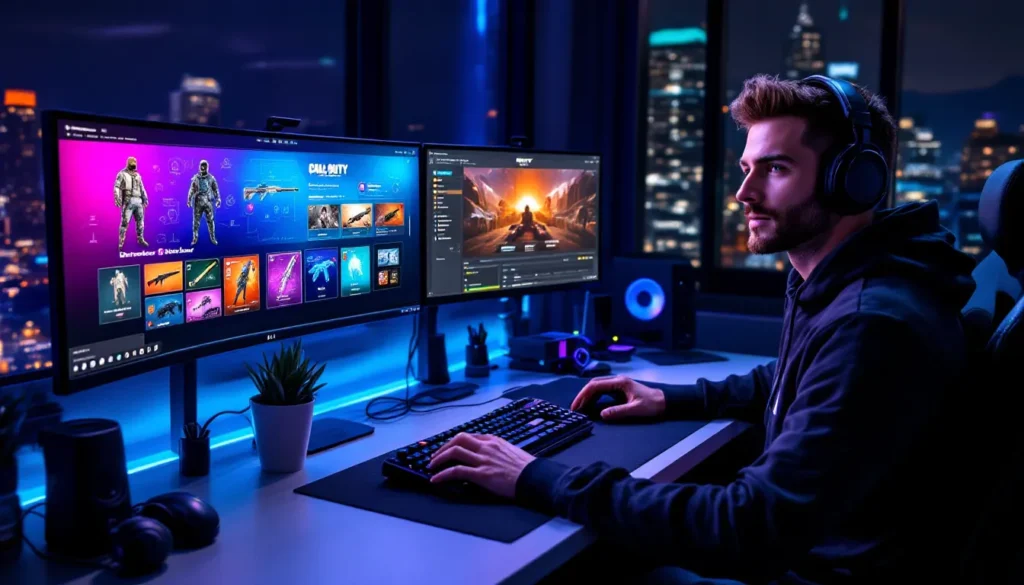
Call of Duty Twitch drops are free in-game rewards that Activision distributes to players who watch eligible Twitch streams. These drops typically include cosmetics like weapon blueprints, operator skins, calling cards, emblems, and bundle tokens. Instead of paying real money in the store, you’re rewarded simply for engaging with the community and supporting streamers.
The beauty of the system is that it’s completely passive. You don’t need to interact with chat, complete challenges, or do anything special, just keep the stream open and you’re accumulating time toward your reward. Activision uses this system to drive viewership on Twitch while giving back to the community. It’s a win-win: streamers get viewers, players get free loot, and Activision promotes their game. The drops rotate regularly, so there’s always something new to grab if you’re willing to dedicate some watch time.
These rewards are exclusive to the drops program, meaning you can’t purchase them elsewhere once they’ve rotated out. That creates urgency and incentive to actually show up when drops are active. Many players treat it like a second job, casually checking which streams have drops available and queuing them up during downtime.
How Twitch Drops Work With Call of Duty
The mechanics are straightforward but worth understanding fully. When Activision announces a drops campaign, specific Twitch streamers become “eligible.” Only streams tagged with Call of Duty that meet viewership and account-verification requirements qualify, so not every channel offering Call of Duty content will reward drops.
Once you find an eligible stream, you watch for a certain duration, usually between 30 minutes and 2 hours per reward tier. The system tracks your watch time in the background. When you hit the time requirement, the drop automatically grants to your account. There’s no button to click or code to redeem. The next time you log into your game, the reward appears in your cosmetics menu.
The key is that your Twitch account must be linked to your Activision/Battle.net account for drops to register. Without proper linking, you can watch for hours and receive nothing. This is why the setup process matters so much, it’s the most common reason players don’t get their drops. Also, some drops campaigns require you to watch across multiple streams or accumulate time incrementally. For example, a campaign might require 6 hours total watch time split across participating streamers, not a straight 6-hour session on one channel.
Activision also maintains a “drops enabled” list that updates regularly. The gaming news community continues to track these updates, making it easier to find current information on which campaigns are active and which streamers qualify.
Setting Up Your Accounts For Drops
Before you waste time watching streams, get your accounts properly connected. This is the foundation of the entire system, and skipping it means no rewards.
Linking Your Twitch And Activision Accounts
Head to your Twitch settings and navigate to the Connections tab. Search for “Activision” and click to authorize. Twitch will redirect you to log into your Activision/Battle.net account. Choose which game account you want drops sent to, this matters if you play on multiple accounts. Confirm the connection, and you’re done with this part.
On the Activision side, log into your Battle.net account and go to Connections. You should see Twitch listed. If the connection isn’t showing as active, disconnect and redo the process. Sometimes the authorization gets stuck in a pending state.
Double-check by visiting your Twitch Drops inventory page while logged in. It should show your Battle.net account name at the top. If you don’t see it, the link didn’t take. This is worth verifying before you commit to watching streams, it only takes 30 seconds and saves massive frustration later.
Enabling Two-Factor Authentication
Activision now requires two-factor authentication (2FA) on your Battle.net account for drops eligibility. This is a security measure, but it’s non-negotiable. Without it, your account won’t receive drops even if everything else is set up correctly.
In your Battle.net Account Settings, go to Security and select “Set up two-step verification.” You can use an authenticator app (Google Authenticator, Authy, Microsoft Authenticator) or SMS-based verification. Authenticator apps are more reliable, but SMS works if you prefer. Complete the setup process and save your backup codes somewhere safe.
Once 2FA is active, wait a few hours before expecting drops to work. Activision’s system sometimes needs time to recognize that 2FA is enabled on your account. If drops still aren’t arriving after 24 hours and everything else is configured, contact Activision support, there might be a backend issue with your account.
Current Call of Duty Twitch Drops Available
As of March 2026, Activision runs drops campaigns on a seasonal rotation. The active drops shift depending on which Call of Duty title is getting promotional push and what cosmetics are newly released.
Warzone And Modern Warfare Drops
Warzone and Modern Warfare (2019 and its sequel) typically have drops campaigns running year-round. Recent campaigns have featured NATO operator bundles, sniper rifle blueprints with unique camos, and weapon blueprint bundles themed around seasonal events. For example, earlier in 2026, a campaign featured the Wraith Operator skin and a blueprint for the Holger 26 LMG with a cyberpunk aesthetic.
These drops tend to sit in the mid-tier of value. They’re not game-changing cosmetics, but they’re desirable enough that most players will take the time to watch. Expect to see new weapon blueprints rotate through drops roughly every 2-3 weeks. The streamer eligibility list for Warzone is typically the largest since it’s the most-watched Call of Duty title on Twitch.
Searching “Call of Duty” on Twitch shows hundreds of streams, but only a subset have drops enabled. Look for the small purple Drops Enabled label beneath the stream title. That’s your confirmation.
Black Ops And Seasonal Rewards
Black Ops 6 campaigns are more sporadic but often feature higher-value cosmetics like operator skins and tracer rounds. When Black Ops drops go live, they typically last 1-2 weeks and attract heavier viewership because the cosmetics feel more exclusive.
Seasonal rewards tied to battle pass content also cycle through drops. If Activision releases a new seasonal cosmetic in the store, there’s often a drops campaign featuring a similar-quality item for free. It’s a calculated move to drive engagement without cannibalizing store sales.
Check the official Call of Duty website or the esports and streaming community news outlets for announcements on drops campaigns. These are usually announced a few days in advance, so you can plan your watch time. Following the official @CallOfDuty Twitter account is the fastest way to stay updated.
Step-By-Step Guide To Claiming Drops
Now that your accounts are set up, here’s the process from start to finish.
Finding Eligible Streamers
- Go to Twitch and search for “Call of Duty.”
- Filter by the “Drops Enabled” tag. Twitch added this filter to make it easier, you’ll see only streams that have drops active.
- Sort by viewership if you want. Higher-viewer streams feel more lively, but smaller streams are just as valid for drops purposes. The reward is identical regardless of stream size.
- Open a stream and check the “About” tab. It should list which drops campaign is active and the duration required to earn each reward.
- Bookmark or pin that stream. You’ll want easy access to it during your watch sessions.
If you can’t find the Drops Enabled filter on your version of Twitch, look at the stream’s About section instead. The description will mention drops and requirements there.
Watching And Monitoring Progress
- Load the stream and keep it open. You don’t need full-screen or active engagement, it can run in the background while you game, work, or browse.
- Log into your Twitch account on the same browser to ensure the platform tracks your watch time. Some players miss this and wonder why drops aren’t registering.
- Watch for the required duration. The system updates progressively, so after 30 minutes you might get your first reward, then after another 60 minutes you get the second, depending on the tier structure.
- Check your Drops Inventory on Twitch (in your Drops menu on your profile). It should show your progress bar filling up in real-time. This is your visual confirmation that time is being tracked.
- Once the progress bar completes, the drop grants automatically. You don’t see a notification on Twitch, it just appears. Log into Call of Duty and check your cosmetics to confirm it arrived. New items usually show up within a few minutes to an hour.
Some campaigns allow you to earn drops from multiple eligible streamers simultaneously. If three streamers are running the same campaign, you can watch stream A for 2 hours, then switch to stream B and continue accumulating time. The total watch time across all participating streams counts toward your tier. This is hugely valuable because you can support different creators while hitting your drops targets faster. For competitive players, mastering call of duty battle tactics and cosmetics go hand-in-hand, so treat cosmetic hunting as part of your overall engagement.
Common Issues And Troubleshooting
Most problems stem from account linking or browser issues. Here’s how to diagnose and fix them.
Drops Not Appearing In Your Inventory
The Stream Wasn’t Drops-Enabled: Verify the stream has the purple Drops Enabled label. Some creators claim to have drops when they don’t qualify. Check the stream’s About section to confirm.
Watch Time Didn’t Register: If you watched but your progress bar didn’t move, you likely weren’t logged into Twitch in that browser tab. Close and reopen the stream while logged in. Also check that you’re watching on Twitch’s official website or app, third-party apps and embedded streams sometimes don’t count toward drops.
Time Requirement Wasn’t Met: Each tier has a specific duration. If a reward requires 2 hours and you only watched 1 hour 50 minutes, you won’t get it. The bar fills incrementally, so watch until it fully completes.
Your Account Linking Expired: Occasionally the Twitch-Activision connection drops. Check your Twitch Connections tab and re-authenticate if needed. This is frustrating but takes 2 minutes to fix.
Drops Are Region-Locked: Activision restricts drops in certain countries due to legal or licensing issues. If you’re in a geo-restricted region, you won’t receive drops no matter what you do. This is rare but possible. Check the campaign announcement for region restrictions.
Account Linking Problems
“Connection Failed” Error: This usually means your Battle.net password or 2FA code is incorrect. Try logging out of your Battle.net account entirely, then redo the Twitch connection process with fresh credentials.
Twitch Shows Connected But Drops Still Don’t Work: Clear your browser cache and cookies, then try again. Sometimes old authentication data causes conflicts. Use an incognito/private browsing window to test if it’s a cache issue.
Multiple Accounts Linked to One Twitch: Activision allows only one Battle.net account per Twitch account. If you’ve changed battle.net accounts, disconnect the old one first before linking the new one. Go to your Twitch Connections, find Activision, and click Disconnect.
Support: If none of these fixes work, contact Activision support directly through their official channels. Include screenshots of your account linking status and the stream URL you were watching. Support usually responds within 24-48 hours.
Maximizing Your Drops Strategy
Once you’ve claimed a few drops, here’s how to optimize your farming strategy.
Stack Eligible Streamers: When a drops campaign launches, multiple streamers usually qualify. Watch the largest creators first (1000+ viewers) because they’re guaranteed to be eligible. Then rotate through mid-tier streamers. This diversity keeps things fresh and supports a wider creator base.
Monitor Campaign Duration: Drops campaigns last anywhere from 1 week to a month. The longer campaigns give you more flexibility to watch casually. If a campaign ends in 3 days and you need 6 hours of watch time, commit to longer sessions. If it lasts 3 weeks, you can spread it out.
Use Downtime Effectively: Watch drops while doing something else. Gaming? Alt-tab to Twitch during loading screens. Working? Keep a second monitor or phone with the stream. The passive nature of drops makes this feasible.
Check for Overlapping Campaigns: Occasionally Activision runs two drops campaigns simultaneously (one for Warzone, one for Black Ops, for example). Diversify your watch time across both to maximize rewards.
Follow Creator Schedules: Streamers that consistently run Call of Duty are your best bets. If your favorite creator is streaming CoD at 7 PM daily, plan to tune in during that window. You know it’ll have drops and you’ll actually want to watch the content.
Track Campaigns Actively: Bookmark the official Call of Duty drops page or follow gaming and esports news to catch campaigns before they end. Missing a campaign by a day because you didn’t know it was live is frustrating.
One often-overlooked tip: the thriving Call of Duty community frequently shares drops information on Reddit, Discord servers, and gaming forums. Joining these communities means you’ll get pinged when campaigns go live, and you’ll see which streamers are currently the most active with drops. It’s crowd-sourced drop intelligence that saves time.
Conclusion
Call of Duty Twitch drops are genuinely free loot, no credit card, no grinding, no gimmicks. The barrier to entry is just account linking and 15-30 minutes of setup. From there, it’s purely a matter of passive viewing and patience. Your cosmetics will start flowing in within days of setting up properly.
The system benefits everyone. Streamers gain viewers who might become loyal followers. Players collect cosmetics without spending money. Activision drives Twitch engagement and keeps the community active. It’s one of the few win-win-win systems in gaming.
Start by linking your accounts today, verify your 2FA is active, and bookmark a couple of eligible streams. By next week, you’ll have your first free cosmetic. Over months, the cosmetics add up substantially, you’re essentially getting hundreds of dollars in store value for just existing in Twitch chat.